
Core API work
Everything you need to build, send, and inspect requests.
- Postman Collection v2.1
- Request builder
- Send, cancel, and replay
- Environments & variables
- cURL copy & import
Open beta · v0.1.2
Reconn is a desktop API client. Import Postman collections, send real requests, generate deterministic tests, record live sites, and explain your code — with collections, history, and secrets kept on your machine, not in our cloud.
Installers unlock in
Once the timer ends you will see the .dmg and .exe · Free through 2 November 2026
Free through 2 November 2026 · macOS & Windows · local-first, no cloud workspace
Capabilities
Reconn covers the full loop: build requests, test them, capture what a live site really calls, and trace it back to your code.
Everything you need to build, send, and inspect requests.
Repeatable tests generated by rules, not by a language model.
Discover APIs from live sites and understand the code behind them.
Your workspace stays on your machine. Agents are optional.
Built to be learned in the first session.
Inside the app
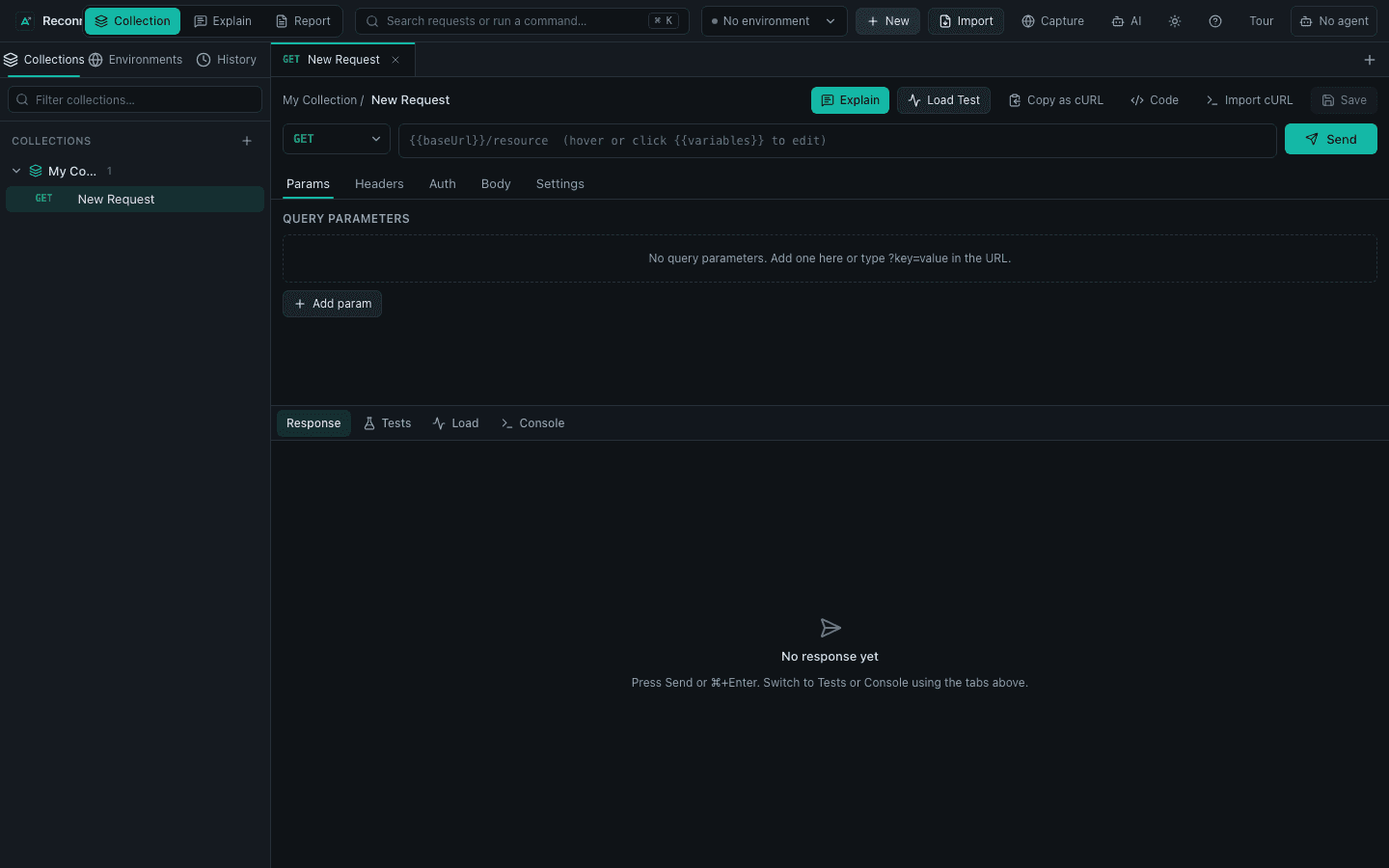
Real screenshots from the desktop app. New installs also open a short product tour that covers the same ground.
Params, headers, auth, body, and settings in one editor, with Response, Tests, Load, and Console below.
Workflow
Reconn is built for engineers who already work in collections and repositories. Start from what you have and get to a verified result in a few steps.
Bring a Postman Collection v2.1, or record a live site into requests you can edit and re-run.
Use environments, cURL, and per-request timeouts. Certificate verification is on by default and secrets stay in the local vault.
Generate positive, negative, boundary, contract, and security cases. Link a repository to get Explain and Report.
Collections, request history, environments, and the encrypted secret vault stay in the desktop app on your computer. The website only serves downloads and signed update metadata — not your API data.
FAQ
Straight answers about what Reconn does, what it stores, and what it costs.
Reconn is a desktop API client for macOS and Windows. It imports and exports Postman Collection v2.1, sends real HTTP requests, generates deterministic tests, records live sites with Site Capture, and explains linked code with Deep Explain and Report Center.
No. Reconn generates positive, negative, boundary, contract, and security test cases from deterministic rules, so the same input always produces the same tests. Cursor and Claude Code adapters are optional and only power the code-aware features.
Yes. Reconn imports and exports Postman Collection v2.1 and shows a compatibility report that lists anything it cannot represent. Imported Postman scripts are kept as metadata and are never executed automatically.
Tokens and passwords are stored in an app-local AES vault on your machine, not in the OS Keychain. TLS certificate verification is on by default.
No. Collections, request history, environments, and secrets stay in the desktop app on your machine. The website only hosts downloads and signed update metadata — it does not store your API workspace.
macOS (a universal DMG for Apple Silicon and Intel) and Windows (an x64 installer). Signed releases update automatically inside the app.
Reconn is in open beta and is free to download and use through 2 November 2026. Pricing will be announced later.
Use the Feedback page on this site. Bug reports and feature ideas both help during the open beta.
Site Capture records a live website's fetch/XHR calls, documents, and images while you browse, scores each page for SEO, AEO, and GEO, and builds a reviewable collection you can edit and re-send.
Free through 2 November 2026 while we add the next wave of features. Early installs and feedback help us ship the right ones.